
You’ve published the content. You’ve done the keyword research. You’ve maybe even earned a few backlinks. So why does it still feel like you’re guessing whether any of it is working?
That’s the gap rank tracking fills and it’s the honest answer to the question “what is rank tracking” that most tool marketing pages skip past on their way to selling you a subscription. It’s the part of SEO that doesn’t get much attention because it isn’t glamorous nobody writes a case study about “we checked our rankings every day for six months” but it’s the difference between running SEO on evidence and running it on hope.
This guide explains what rank tracking actually is, how it works under the hood, what it can and can’t tell you, and how to use it without falling into the trap of obsessing over numbers that don’t matter. We’ll also cover how rank tracking is changing now that a meaningful share of searches never produce a traditional list of blue links at all.
What Is Rank Tracking, Exactly?
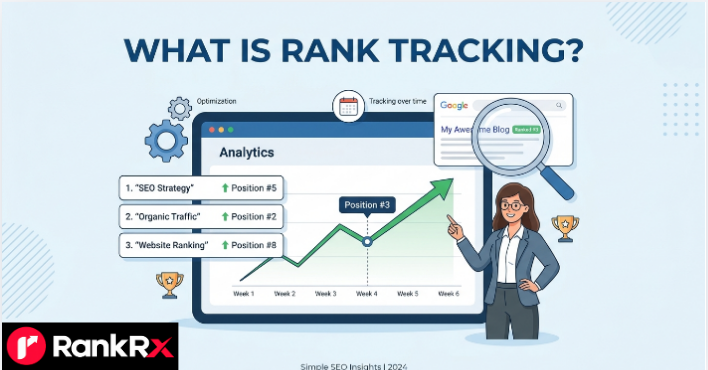
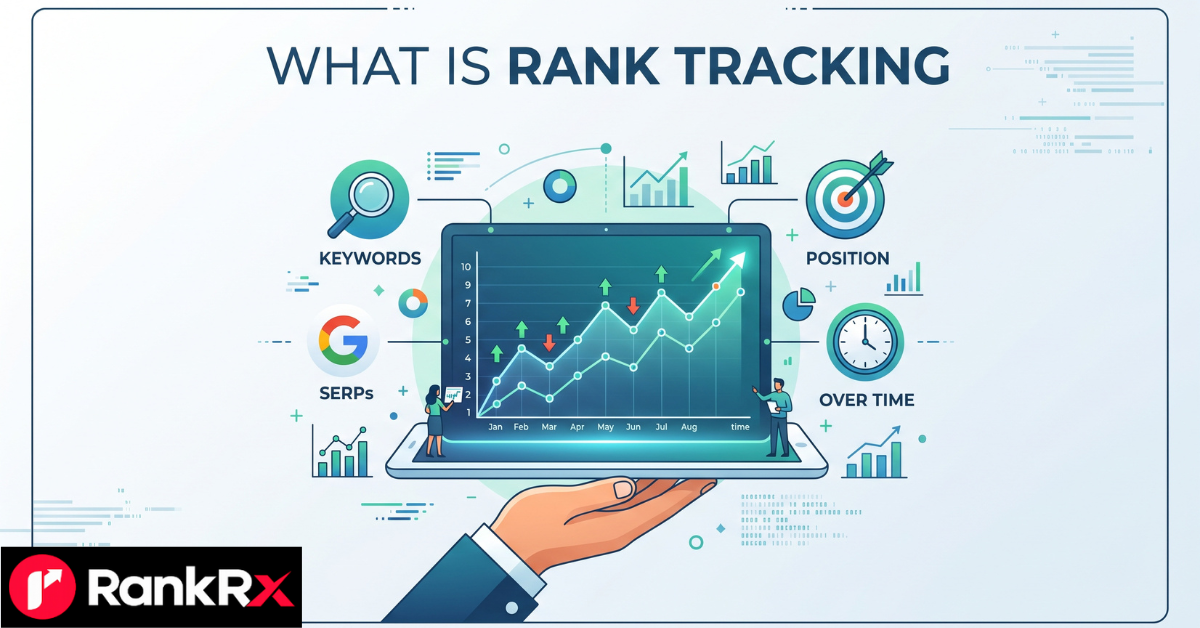
Rank tracking is the process of monitoring where a website’s pages appear in search engine results pages (SERPs) for a defined set of keywords, and recording how those positions change over time.
In plainer terms: you pick the search terms that matter to your business, a tool checks where you show up for each one, and it keeps a running log so you can see whether you’re moving up, moving down, or standing still.
That’s it. It sounds simple because it is simple in concept. The complexity shows up in the details — which we’ll get into — but the core idea is just consistent, repeated measurement. what is rank tracking.
Rank tracking is sometimes called position tracking, keyword tracking, or SERP tracking. Different vendors use slightly different terms, but there’s no meaningful distinction between them. If you see any of those phrases, assume they’re describing the same practice. what is rank tracking.
READ MORE: RankRX The Modern Framework for Data-Driven SEO Success
Rank Tracking vs. Keyword Research
These two get confused constantly, so it’s worth separating them clearly.
- Keyword research is how you decide what to target. It’s the process of finding search terms your audience actually uses, understanding their intent, and estimating how much traffic and competition each one carries.
- Rank tracking is how you find out whether you’re getting there. Once you’ve picked your target keywords and optimized content around them, tracking tells you if that content is actually earning visibility for those terms.
Keyword research sets the destination. Rank tracking tells you whether you’re closer to it than you were last month.
How Rank Tracking Actually Works
At a basic level, a rank tracking tool does something similar to what you’d do manually: it searches for a keyword and notes where a given URL appears in the results. The difference is that it does this automatically, at scale, and from a controlled, repeatable environment. what is rank tracking.
Here’s the general process:
- You provide a list of target keywords — the search terms you care about — along with the domain or specific URLs you want tracked. what is rank tracking.
- You specify the conditions: which search engine (Google, Bing, sometimes YouTube or Amazon), which country or city, which language, and whether you want desktop or mobile results, since these can all produce different rankings for the same keyword.
- The tool queries the search engine on a set schedule — daily, weekly, or another interval — from servers configured to mimic a real user in that specific location and device type.
- It records your position for each keyword at each check, along with the URL that’s ranking (which might not be the page you expected). what is rank tracking.
- The data accumulates into a history, which is what makes rank tracking useful. A single snapshot tells you almost nothing. A trend line across weeks or months tells you whether your SEO work is actually gaining ground.
Why You Can’t Just Google It Yourself
A common question from people new to SEO: why not just search the keyword yourself and see where your site shows up? what is rank tracking.
You can, and for a quick sanity check, it’s a reasonable thing to do. But it comes with a real limitation: personalization. When you search from your own browser, Google factors in your search history, your location, your device, and possibly your account activity. Two people searching the identical phrase from the same city can see different results. If you search your own brand’s keywords often, Google may even quietly favor your own site because it knows you tend to click it. what is rank tracking.
Rank tracking tools query from standardized, logged-out, geographically consistent environments specifically to remove that bias. That’s why the position a tool reports and the position you see in your own browser can genuinely differ — and why the tool’s number, not your own search, is the one worth trusting for tracking trends over time.
Why Rank Tracking Matters
It would be fair to ask: if I’m already checking Google Search Console or Google Analytics, do I actually need dedicated rank tracking too? The honest answer is that they serve different jobs, and most serious SEO programs end up using both. what is rank tracking.
Here’s what rank tracking specifically gives you that those other tools don’t do as cleanly:
- A before-and-after record. When you update a page, add internal links, or fix a technical issue, tracking shows you whether that specific change actually moved the needle — not just whether traffic went up for some unrelated reason. what is rank tracking.
- An early warning system. A ranking drop discovered in week one is a quick fix. The same drop discovered two months later, after it’s already eaten into your traffic and revenue, is a much bigger problem to unwind. Tracking closes that gap.
- Competitive context. Search results are a shared space — when a competitor’s page moves up, something (possibly you) moved down. Tracking competitor domains against your own keyword set shows you who you’re actually up against for the terms that matter. what is rank tracking.
- Evidence for reporting. If you’re an agency, a freelancer, or an in-house marketer justifying your SEO budget, “we moved from position 14 to position 6 over ten weeks” is a lot more convincing than “we’ve been doing SEO stuff.” what is rank tracking.
- A diagnostic tool, not just a scoreboard. A sudden, site-wide ranking drop across many keywords at once is often a signal of a Google algorithm update, a technical issue like accidental de-indexing, or a manual action — rather than a slow decline in content quality. Tracking helps you tell those situations apart quickly.
What Actually Affects the Numbers You See
If you’ve ever compared rank tracking data between two tools, or between a tool and your own manual search, and noticed they don’t match exactly, that’s normal — not a sign something is broken. Several variables shape what position gets reported: what is rank tracking.
| Variable | Why It Matters |
|---|---|
| Location | Rankings can shift meaningfully between countries, states, and even cities for the same keyword, especially for anything with local intent. |
| Device | Google serves separate mobile and desktop indexes in many cases, and layouts differ enough that positions aren’t always identical across the two. |
| Search engine | Google, Bing, and other engines each run their own ranking systems. A position on one tells you nothing directly about the other. |
| Personalization and search history | Logged-in, personalized results can vary from the neutral results a tracking tool reports. |
| SERP features | Featured snippets, “People Also Ask” boxes, local packs, image carousels, and AI-generated answers can all push traditional organic listings down the page, even when the underlying “position” hasn’t technically changed. |
| Time of check | Rankings can fluctuate within a single day, particularly during and after a Google algorithm update is actively rolling out. |
The practical takeaway: don’t panic over a two-position swing you notice once. Look at the trend across at least a couple of weeks before drawing conclusions, and always compare like-for-like — same location, same device, same search engine. what is rank tracking.
How to Set Up Rank Tracking (Without Overcomplicating It)
You don’t need to track every keyword your site could theoretically rank for. That’s a fast way to end up with a dashboard full of noise and no clear signal. A more useful approach: what is rank tracking.
READ MORE: Best Netflix Shows UK August 2026 What’s Actually Worth Your Time
1. Start With Your Money Keywords
These are the search terms most directly tied to revenue or your core business goal — the ones where ranking well would actually change outcomes, not just vanity metrics. For an e-commerce site, that might be product category terms. For a service business, it’s likely to be terms that carry buying intent for your specific services.
2. Add a Layer of Supporting and Long-Tail Terms
Once your core list is set, add the more specific, lower-competition variations that feed into your broader topics. These often move faster and can be a useful early signal that a piece of content is gaining traction before it climbs for the harder head terms. what is rank tracking.
3. Set the Right Location and Device Settings
If you’re a local business, track at the city or even zip-code level — national averages can hide the fact that you’re invisible in the one metro area that actually matters to you. If you serve customers everywhere, national or country-level tracking is usually the better fit. Track both mobile and desktop separately if a meaningful share of your traffic comes from each. what is rank tracking.
4. Choose a Sensible Check Frequency
Daily tracking is useful for competitive, high-value terms or during a known Google algorithm update, where rankings can move quickly and you want to catch problems fast. For lower-volatility, less competitive keywords, weekly or even monthly checks are usually enough, and they keep the noise down. what is rank tracking.
5. Track Competitors Alongside Yourself
Add two or three real competitors to the same keyword set. It turns your rank tracking from a solo scoreboard into a genuinely competitive one, and it’s often the fastest way to spot when someone else is doing something worth investigating. what is rank tracking.
Rank Tracking Tools: What to Look For
There’s a wide range of tools on the market, from free options bundled into broader platforms to dedicated rank tracking software built for agencies managing dozens of client accounts. Rather than recommending one specific product — since the right fit depends heavily on your budget, the number of keywords you need, and whether you manage one site or many — here’s what’s worth evaluating: what is rank tracking.
- Accurate location and device targeting, especially if local SEO matters to you.
- Historical data retention, so you can look back further than just the last 30 days.
- Competitor tracking built in, rather than as a separate add-on.
- SERP feature visibility — does it show you when a featured snippet, local pack, or AI-generated answer is displacing organic results, or does it only report a raw position number?
- Reporting and export options, particularly if you need to share progress with clients or stakeholders.
- Integration with Google Search Console, which gives you a complementary, first-party view of impressions, clicks, and average position directly from Google.
Google Search Console itself is worth mentioning specifically here: it’s free, it comes directly from Google, and its Performance report shows real click and impression data tied to actual queries — something third-party tools have to estimate. It’s not a full substitute for a dedicated rank tracker, since it doesn’t let you monitor arbitrary keywords you don’t already rank for, or track competitors, but it’s a sensible starting point and a useful cross-check against whatever paid tool you use. what is rank tracking.
It’s also worth checking whether a tool reports a SERP volatility index — a broader signal, usually calculated across a large sample of tracked keywords industry-wide, that spikes when Google’s results are shifting unusually fast. A spike in overall volatility around the same time your own rankings move is a reasonably strong clue that a Google algorithm update, rather than something specific to your site, is behind the change — which changes how you should respond. A site-specific technical problem needs a site-specific fix; a broad algorithm update usually calls for patience and a review of your content against Google’s people-first content guidance, not a frantic rewrite of a single page.
Beyond Raw Position: Visibility Score and Share of Voice
Once you’re tracking more than a handful of keywords, raw position numbers for individual terms start to become hard to summarize at a glance. That’s where two related metrics come in, and it’s worth understanding the difference:
- Visibility score (sometimes called a search visibility index) rolls up your rankings across your entire tracked keyword set into a single number, usually weighted by how competitive or high-volume each keyword is. It answers a broader question than any single position: “overall, is my visibility across everything I care about trending up or down?” what is rank tracking.
- Share of voice takes this a step further by estimating what percentage of the total available clicks or impressions across your tracked keyword set your site is actually capturing, compared to competitors capturing the rest. Where a visibility score tells you how you’re trending, share of voice tells you how much of the market’s attention you’re actually winning relative to everyone else chasing the same searches. what is rank tracking.
Neither replaces individual keyword tracking — you’ll still want to know exactly which page ranks where for which term — but they’re useful for spotting a broader pattern that a single keyword’s position can’t show you. A site can lose ground on three keywords while gaining on twelve others; visibility score and share of voice make that net effect visible in one glance, which is often more useful for a monthly report than forty individual position numbers.
Rank Tracking in an AI Search World
Search results in 2026 look meaningfully different from a few years ago, and that has real implications for how rank tracking should be interpreted. what is rank tracking.
Google’s AI Overviews and the more conversational AI Mode now appear across a large share of searches, and they can push traditional organic listings further down the page — sometimes below the fold entirely — even when a page’s underlying ranking position hasn’t dropped. That’s created a real disconnect for some site owners: a keyword tracker shows a stable position 3, but organic click-through rate has fallen anyway, because an AI-generated summary is now sitting above the traditional results and answering the query before a searcher ever scrolls down.
A few developments from this year are worth knowing about specifically:
- Google’s May 2026 core update rolled out over roughly two weeks and, like earlier core updates, produced meaningful ranking volatility across many industries and content types — a reminder that even a “regular” update, in Google’s own words, can move your tracked positions considerably. As always with core updates, Google’s own guidance is that there’s rarely a specific “fix”; the standard advice is to keep publishing genuinely helpful, people-first content rather than chasing a single algorithm signal. what is rank tracking.
- In June 2026, Google began rolling out a generative AI performance report inside Search Console for a subset of properties, along with a publisher opt-out control letting site owners choose whether their content is used to ground AI Overviews and AI Mode answers independently of their appearance in standard search results. That’s a meaningful shift for measurement, because it starts to separate “visibility in AI answers” from “visibility in traditional search” as distinct, trackable things rather than one blended number.
- AI Mode itself has continued expanding — including more conversational, multi-step search sessions with follow-up questions — which means a single “position” for a keyword increasingly tells only part of the story about how a searcher actually encountered (or didn’t encounter) your site.
None of this makes rank tracking obsolete. If anything, it makes the trend line more important than ever, since a single day’s snapshot is now more likely to be noisy. But it does mean position alone is an incomplete picture. Pairing rank tracking with actual click and impression data from Search Console — and, where available, the newer generative AI visibility reporting — gives a far more honest read of what’s actually happening to your traffic than tracked rank position by itself.
It’s worth saying plainly: how AI Overviews and AI Mode affect click-through rates, and how Google’s newer generative-AI reporting will evolve, are still moving targets. Treat specifics here as accurate as of today, and expect this part of the picture to keep changing.
Common Mistakes to Avoid
Tracking too many keywords with no clear priority. A list of 500 loosely related terms is harder to act on than a focused list of 40 that map directly to business goals. More data isn’t automatically more useful.
Reacting to daily noise instead of the trend. Rankings fluctuate, sometimes for reasons that have nothing to do with your site. A single day’s drop is rarely worth an emergency response; a two-week decline usually is.
Ignoring location and device settings. Checking only desktop, national-level rankings when most of your customers search on mobile from a specific city will give you a distorted picture of your real visibility.
Treating position as the only metric that matters. A keyword sitting at position 4 with a featured snippet or AI Overview sitting above it may deliver far less traffic than the raw number suggests. Cross-check tracked positions against actual clicks and impressions.
Forgetting to track competitors. Watching only your own site tells you if you’re moving, not whether you’re moving faster or slower than the businesses you’re actually competing against for the same customers.
Confusing correlation with causation. If your rankings rise the same week you changed three different things — new content, a technical fix, and a batch of new backlinks — you often can’t cleanly credit any single one. Where possible, change one meaningful variable at a time, or accept that some improvements will always have a bit of ambiguity attached.
Conclusion
Rank tracking isn’t the flashiest part of SEO, and it won’t single-handedly fix a ranking problem. What it does is give you the evidence to know whether your SEO efforts are actually working, catch problems while they’re still small, and make decisions based on data rather than intuition.
READ MORE: What’s Trending in the UK Right Now And How to Actually Use That Information
The practice itself is straightforward: pick the keywords that matter, track them consistently under the right location and device settings, and read the trend rather than reacting to daily noise. The part that’s changed is the context around it — with AI Overviews and AI Mode reshaping how many searchers interact with results before ever reaching a traditional listing, position alone tells you less than it used to. Pair it with real click and impression data, and rank tracking remains exactly what it’s always been: the most reliable feedback loop SEO has.
Results from rank tracking, like SEO more broadly, vary significantly by site, industry, and competition — there’s no universal number of keywords, checking frequency, or tool that works identically for every business.
Frequently Asked Questions
What is rank tracking used for beyond just checking positions? Beyond the basic position check, it’s used to validate whether specific changes worked, catch sudden drops early, benchmark against competitors, and build the historical evidence needed for client or stakeholder reporting.
Is rank tracking the same as SEO? No. Rank tracking is one component of a broader SEO practice. It measures the results of your SEO work — content, technical fixes, link building — but it doesn’t improve rankings on its own.
How often should I check my rankings? It depends on the keyword’s competitiveness and how much is riding on it. Daily tracking makes sense for high-value, competitive terms or during a known algorithm update. Weekly or monthly checks are usually sufficient for lower-priority or less volatile keywords.
Can I track rankings for free? Yes, to a degree. Google Search Console is free and shows your actual average position, clicks, and impressions for queries you already rank for. It won’t, however, let you track arbitrary target keywords you don’t yet rank for, or monitor competitors — for that, you’ll typically need a dedicated rank tracking tool, many of which offer limited free tiers or trials.
Why do my rankings look different in a tool than when I search myself? Personalization is the most common cause. Your own searches are shaped by your search history, location, and device. Rank tracking tools query from neutral, standardized conditions specifically to avoid that bias, so some difference between the two is expected and doesn’t mean either number is “wrong.”
Do AI Overviews and AI Mode count as a ranking position? Not in the traditional sense. AI Overviews and AI Mode are separate features that can appear above or alongside standard organic results. Some rank tracking tools are beginning to report whether these features are present for a given keyword, and Google itself has started rolling out separate generative AI visibility reporting in Search Console, but this is a newer and still-evolving part of the measurement picture.
Should local businesses track rankings differently than national businesses? Yes. Local businesses generally get far more value from tracking at the city or zip-code level, since rankings for the same keyword can vary noticeably between nearby locations. National or global businesses typically track at a broader country level instead, since hyper-local variation matters less to their goals.